
ElevenLabs v4 Review: What if an AI voice could do more than read your script?
What if it could whisper, laugh, sound worried, deliver a punchline, or make a dramatic scene feel like an actual conversation?
Well, that’s exactly what ElevenLabs is trying to achieve with its new Eleven v4 text-to-speech model.
But is this a genuine improvement, or just another AI update with a lot of marketing behind it?
In this post, we’re looking at the biggest features of ElevenLabs v4, what makes it different from previous versions, who should consider using it, and whether it’s worth paying for.
Let’s get into it.
ElevenLabs v4 Review: Is It Worth Paying For?
ElevenLabs has built its reputation around AI-generated voices that sound remarkably human.
But here’s the challenge: sounding human isn’t just about pronouncing words correctly. It’s also about emotion, timing, context and knowing when to change your delivery.
That’s the problem Eleven v4 is designed to address.
According to ElevenLabs, v4 is its most expressive text-to-speech model yet, built on a new architecture designed to interpret the meaning and emotional context of a script.
And there are several features here that content creators, audiobook producers and video editors should pay attention to.
ElevenLabs v4 Feature 1: More Natural Emotional Delivery
Let’s start our v4 elevenlab review with the biggest selling point: emotional expression.
Think about the sentence, “I didn’t think you’d actually come back.”
You could say those words with relief, anger, sadness or sarcasm. The words stay the same, but the meaning changes depending on how they’re delivered.
Eleven v4 gives you more control over that delivery.
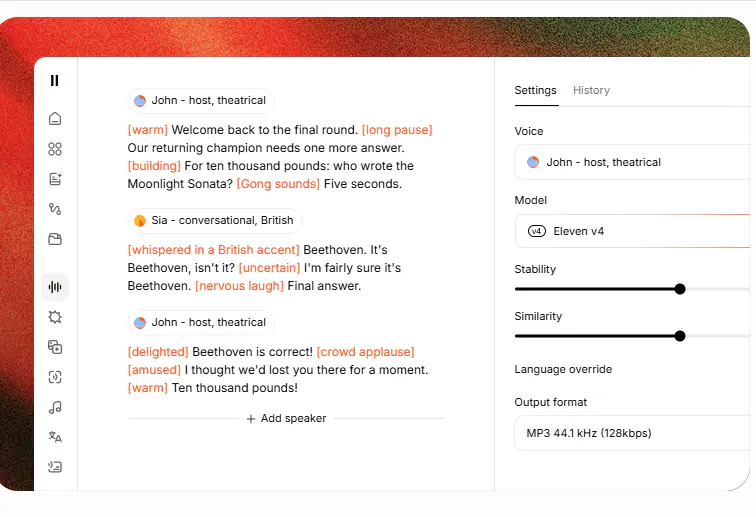
You can use instructions called Audio Tags directly inside your script to guide the voice.
For example, you might write:
[whispers] I have something important to tell you.
Or:
[excited] We finally did it!
You can also guide sounds and reactions, such as laughter, sighs and other contextual audio events.
This is where the model becomes especially interesting if you’re into storytelling, advertisements, character dialogue and YouTube narration.
So instead of accepting whatever tone the AI gives you, you can direct the performance more deliberately.
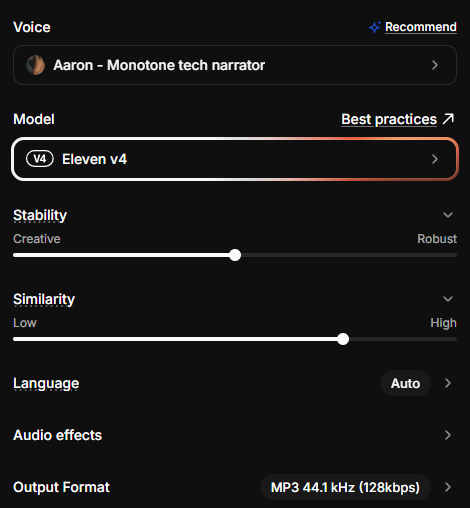
Of course, the results will still depend on the voice, your script and the instructions you use. You’ll want to experiment with different tags rather than expect every generation to be perfect.
ElevenLabs v 4 Feature 2: More Natural Multi-Speaker Conversations
The second feature is particularly useful if you create dialogue, audiobooks or fictional stories.
Older text-to-speech workflows can make conversations sound like separate recordings stitched together.
Each character delivers a line, but the exchange doesn’t always feel connected.
Eleven v4 is way better: it is designed to improve that experience by taking the surrounding context into account and preserving the distinctive qualities of different speakers.
Imagine creating a conversation between two characters: one is excited, while the other is suspicious?
You obviously want the second character to react naturally to what was just said, rather than simply read the next line.
Now, ElevenLabs v4 improves both multi-speaker dynamics and speaker consistency.
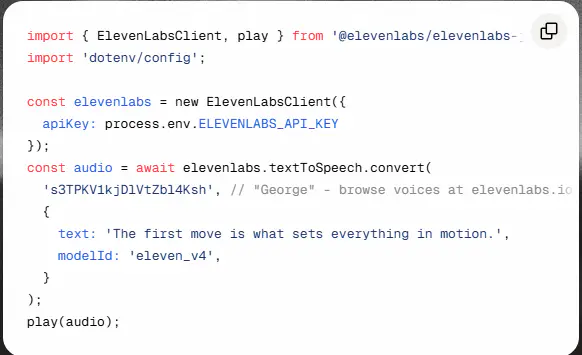
So if you are a creator producing audio dramas, character-driven videos or audiobooks, this could reduce some of the work you do especially the extra effort you put to make dialogue feel believable.
Elevenlabs V4 Feature 3: Better Consistency and Long-Form Narration
Now, here’s a problem anyone who creates longer AI voiceovers will understand…..maybe you have experienced it..
You generate a line, it sounds great, and then you regenerate one sentence to fix a mistake.
Then suddenly, the voice sounds slightly different.
That inconsistency can become frustrating when you’re producing a long video, an audiobook or a series of connected episodes.
Good news: Eleven v4 is designed to preserve speaker identity more reliably, including when you regenerate lines.
The model also supports context stitching, which helps you maintain consistent pacing and delivery across longer scripts you generate in multiple sections.
Remember the app supports up to 10,000 characters in a single generation.
That doesn’t mean every long recording will be flawless….no!
You’ll still need to review the output, check transitions and correct any awkward delivery.
But better continuity could make your long-form audios production easier.
ElevenLabs v4 Review: Feature 4- Voice Cloning and Pronunciation
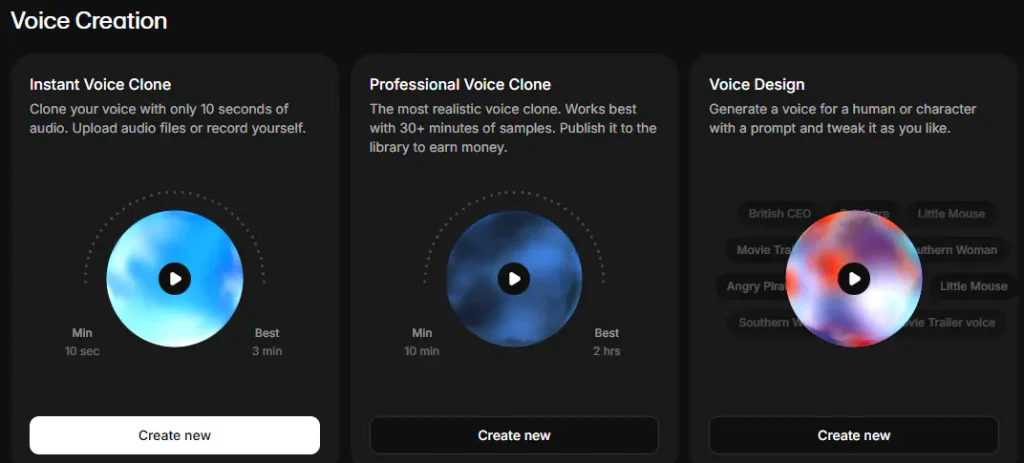
Another important update is voice cloning.
ElevenLabs says -on their website- that instant voice clones are supported in v4, and professional voice clones are supported again after being unavailable in v3.
This matters if you want to maintain a recognizable voice across different projects or produce content in multiple languages.
Besides, the model supports more precise pronunciation control through the International Phonetic Alphabet, or IPA, alongside pronunciation tools.
Why is this important to you?
Well, imagine your script contains a technical term or a brand name that the AI keeps mispronouncing?
Now you will be able to specify the pronunciation – and that gives you another way to correct the output instead of repeatedly rewriting the sentence.

Still on those comparing elevenlabs v3 vs elevenlabs v4, recall that Eleven v4 supports more than 90 languages- of course, that makes it worth exploring if you are making multilingual content and you often need to localize speech.
One important point: only clone voices you own or have permission to use.
Why? ElevenLabs requires verified consent for voice cloning.
Elevenlabs AI voice review: Eleven V4 Vs Eleven V4 Turbo
Now, don’t confuse Eleven v4 with Eleven v4 Turbo.
They’re related models, but they’re designed for somewhat different priorities.
To be clear, Eleven v4 focuses on high-quality, expressive speech for content like narration, storytelling and voiceovers.
On the other hand, Eleven v4 Turbo brings the expressive capabilities of v4 to applications where speed is vital, particularly real-time conversations and AI voice agents (11 labs is improving this technology).
Note that ElevenLabs reports a median inference latency of around 100 milliseconds for Turbo.
To simplify it, Turbo is designed to respond quickly enough to support more natural interactions.
Meaning if you’re creating YouTube videos, an audiobook or a polished advertisement, standard v4 is the logical place to start.
But if you’re building an interactive voice assistant or an AI agent that needs to respond quickly, Turbo deserves a closer look.
ElevenLabs v4 Review: Is Elevenlabs V4 Worth It?
So, should you pay for ElevenLabs v4?
My take is that its biggest appeal is the additional control over how AI speech is performed, not simply the ability to turn text into audio.
So if you’re a YouTuber, podcaster, audiobook creator, educator or video producer, the emotional direction and consistency features are worth taking a look at.
The same goes for any business that need polished narration or developers building voice-based applications.
Just keep in mind that you can test it out on its free plan, which gives 10,000 credits per month (roughly ten minutes of audio).
That way, you can be sure of what you are investing in once you decide to upgrade…. view Elevenlabs v4 pricing
By the way Elevenlabs V4 release date was Sept 2026…date 28
Thanks for reading, and I’ll see you in the next one.