

Magic Sketch
Discover how Magic Sketch uses AI to turn your doodles into amazing artwork. Explore its features, benefits, and real-world applications.
Description
Magic Sketch Review: AI-Powered Art at Your Fingertips! 🎨
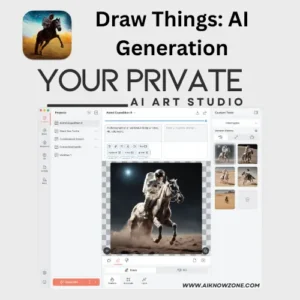
Ever dreamed of effortlessly creating stunning artwork? Magic Sketch makes that dream a reality! This innovative AI tool transforms simple sketches into detailed, high-quality images with just a few strokes. It’s like having a personal AI art assistant that anticipates your vision and brings it to life. What sets Magic Sketch apart is its unique blend of user creativity and machine learning. As you draw, the AI intelligently interprets your strokes and completes the image based on a chosen category, offering a seamless and interactive artistic experience. Whether you’re a seasoned artist looking for inspiration or a beginner eager to explore your creative side, Magic Sketch offers a playful and powerful way to generate unique artwork. Forget complicated software and endless tutorials – Magic Sketch is all about intuitive creation and instant gratification. Get ready to be amazed as your doodles blossom into digital masterpieces!
Key Features and Benefits of Magic Sketch
- AI-Powered Completion: The core feature! Magic Sketch uses machine learning to intelligently complete your drawings, adding details and refining your strokes to create polished artwork. This saves time and effort, especially for those less confident in their artistic skills.
- Category Selection: You can choose from various categories (like animals, landscapes, or objects) to guide the AI’s interpretation of your sketch. This ensures the final image aligns with your creative vision and allows for experimentation with different styles.
- Real-Time Interaction: The AI works in real time, responding to your strokes as you draw. This creates an engaging and dynamic artistic process, making it feel like you’re collaborating with the AI.
- User-Friendly Interface: Magic Sketch boasts a simple and intuitive interface that’s easy to navigate, even for beginners. You don’t need any prior experience with AI or digital art to start creating beautiful images.
- Accessibility: Many versions are free or offer a free trial, making AI-powered art accessible to everyone, regardless of budget.
How It Works (Simplified)
Using Magic Sketch is surprisingly easy! First, you typically select a category for your sketch, such as “cat” or “landscape.” Then, simply start drawing on the canvas. As you lift your pen or mouse, the AI springs into action. The algorithm analyzes your strokes and predicts how to complete the image based on the selected category. The result? A refined and detailed artwork that blends your initial sketch with the AI’s artistic interpretation. You can experiment with different strokes, categories, and styles to create a wide range of unique images.
Real-World Use Cases for Magic Sketch
- Sparking Creativity: As an amateur artist, sometimes getting started is the hardest part. I often use Magic Sketch to generate base images for my artwork. By starting with a doodle and having the AI flesh it out, I get unique ideas and save a lot of time, which is really helpful!
- Content Creation: If I need a quick illustration for a blog post or social media, Magic Sketch is my go-to tool. I can create eye-catching visuals in minutes, even if my drawing skills are limited.
- Educational Tool: I have seen educators use Magic Sketch in the classroom to engage students in art and technology. It’s a fun and interactive way to introduce AI concepts and encourage creative expression.
Pros of Magic Sketch
- Easy to use and intuitive interface 👍
- Generates high-quality and detailed images 🖼️
- Sparks creativity and helps overcome creative blocks ✨
- Offers a unique and engaging artistic experience 🎨
- Accessible to users of all skill levels 🧑🎨
Cons of using Magic Sketch
- The AI’s interpretation may not always match your exact vision 🤖
- Results can sometimes be unpredictable, requiring experimentation 🤔
- Requires an internet connection for online platforms 🌐
Magic Sketch Pricing
Pricing varies depending on the specific platform or tool. Some versions of Magic Sketch are free to use, often with limitations on features or usage. Other platforms offer subscription plans with varying tiers based on usage, features, and image resolution. Magic Studio, for instance, offers a free tier with limited image generation and paid plans for more extensive use.
Conclusion
In conclusion, Magic Sketch is a fantastic tool for anyone looking to explore the intersection of art and artificial intelligence. Its ease of use, combined with its ability to generate stunning artwork, makes it a great choice for artists of all levels. Whether you’re seeking inspiration, creating content, or simply looking for a fun and engaging creative outlet, Magic Sketch is definitely worth checking out. So, grab your stylus or mouse and prepare to unleash your inner artist with the power of AI!

Reviews
There are no reviews yet.